MP Logo
Roland Pro AV 4K Logo


Roland Media Presenter Screen


Reliable 4K/HD Media Playback for Live Events

Video and image playback have become essential elements of live events and modern streaming productions. However, most playback solutions are filled with complex features that require extensive training. Media Presenter solves this issue, making professional playback easier than ever with a friendly user interface, simple content management, and optimized performance. Built on the proven heritage of Roland's long-running PR series media players, this powerful software delivers fast, stress-free operation when every cue counts.

As a standalone Windows application, Media Presenter enables anyone to confidently trigger content with quick and reliable playback of 4K/HD images and videos, making it an ideal solution for a wide range of production environments and video systems. When used with compatible Roland video switchers, it streamlines production and reduces setup complexity through seamless workflow enhancements such as Fill+Key output over a single HDMI cable and remote playback control via USB.
Available in February 2027

Highlights

ALT

Simple Playback Interface for Confident Operation

Designed for event, worship, and corporate presentation workflows, Media Presenter reduces training requirements and minimizes errors with a clean layout that lets operators quickly find and play the right content.

Clear Clip Layout

Media Presenter clips can be grouped within up to 20 palettes per project, each with 32 playback slots. A unique feature is the ability to leave empty spaces between clip slots, helping organize content to match the cue sheet and the show’s progression. Clips can be set for single or looped playback, with control over size, position, playback speed, transitions (including dissolves), color, and more.

Custom Thumbnails and Quick Editing

Most videos start with a screen that doesn’t clearly show the clip’s content. With Media Presenter, you can set a specific frame from the footage as the thumbnail for easy identification in the playlist. Quick edit tools are also on hand, ready to trim clips as needed for the application.

ALT

Stable Playback Through Internal Media Conversion

During live productions, reliable operation is crucial. Media Presenter automatically converts raw video and still images into an optimized internal playback format to ensure precision control and stable playback.

Flexible Scaling

Media Presenter supports both 4K and HD content, and clips can be scaled and positioned to match your production needs.

ALT

Versatile Audio Adjustment

Set the audio level for clips before the show and easily adjust it during playback as needed. It’s also possible to replace the audio in a clip with a different audio file.

ALT

Integrated Control with Select Roland Switchers

Bidirectional operation with compatible Roland video switchers streamlines video production, enabling users to create powerful hybrid systems that combine hardware and software control.

ALT

Send Fill and Key Signals Over a Single HDMI Cable

With many video switchers, fill and key signals must be sent separately. But with Roland’s proprietary Fill+Key technology, fill and key signals can be sent over a single HDMI cable, greatly simplifying setup. Media Presenter also supports alpha-channel content, enabling high-quality composited graphics with transparency.

Compatible Products

Media Presenter is supported with the following Roland video products:

V-1-4K Video Switcher

V-1-4K
Video Switcher
Version 1.1 or Later

V-160HD Streaming Video Switcher

V-160HD
Streaming Video Switcher
Version 3.7 or Later

V-80HD Direct Streaming Video Switcher

V-80HD
Direct Streaming Video Switcher
Version 1.4 or Later

V-8HD HD Video Switcher

V-8HD
HD Video Switcher
Version 3.2 or Later

VR-120HD Direct Streaming AV Mixer

VR-120HD
Direct Streaming AV Mixer
Version 2.3 or Later

VR-6HD Direct Streaming AV Mixer

VR-6HD
Direct Streaming AV Mixer
Version 2.3 or Later

ALT

Elgato Stream Deck Integration

Media Presenter can be controlled from the popular Elgato Stream Deck platform, allowing operators to create custom buttons for clip playback and other software functions.

ALT

Fully Featured Trial

Media Presenter is available in a free trial version with all features fully unlocked, allowing you to explore the interface, import media, and create playlists. A watermark is shown in the video output, which is disabled after purchase and activation.

ALT

Purchase and Activation

After purchase, you can easily activate the software via the License Manager menu. A license key is available with a purchase on Roland Cloud or via a license card sold at Roland dealers.

Roland Headquarter and Factory in Japan

Simple Management of Multiple Licenses

Rental companies can manage multiple licenses from a single account, with easy activation and deactivation of different devices.

System Requirements

Please review the recommended system requirements for smooth and stable operation with Media Presenter.


Internal Processing
Resolution
Maximum 4096 x 2160 pixels*1
Frame Rate
23.98 fps, 24 fps, 25 fps, 29.97 fps, 30 fps, 50 fps, 59.94 fps, 60 fps *1
Video Processing
YCbCr 4:2:2, 8-bit
* Alpha channel content is processed as 8-bit RGBA (4:4:4:4).
Audio Processing
48 kHz, 24-bit

*1 The specifications above apply to media that can be used within a project.
Actual display resolution and refresh rate depend on the connected display and operating environment.
Supported Native Playback Formats
Video
Apple ProRes 422 (MOV)
Apple ProRes 4444 (MOV)
Raw Video UYVY 4:2:2 (AVI)
Still Image
PNG (with Alpha Channel Support)
BMP
JPEG
Audio
WAV
48 kHz, 24-bit
Up to 8 Channels
Supported Import Formats
Video
Apple ProRes (MOV)
H.264 (MOV, MP4)
HEVC (H.265) (MOV, MP4)
Raw Video (AVI)
Still Image
PNG (Supports Alpha Channel)
BMP
JPEG
Audio
WAV
48 kHz, 16-bit / 24-bit
Up to 8 channels
Project Settings
Canvas Size
1280 x 720 pixels
1920 x 1080 pixels
3840 x 2160 pixels

* Actual output resolution depends on the connected display.
* Maximum output resolution: 4096 x 2160 pixels.
Supported Frame Rate
23.98 fps
24 fps
25 fps
29.97 fps
30 fps
50 fps
59.94 fps
60 fps

* Actual output frame rate depends on the refresh rate of the connected display.
* Maximum output frame rate: 60 fps.
Playback Functions
4K Video Playback
Video Playback with Alpha Channel Support *
Still Image Display
Video and Still Image Playlist Playback
Loop Playback
Frame-Accurate Video Playback

* Compositing videos with an alpha channel requires a Roland FILL+KEY-compatible video switcher.
External Device Integration
Devices
Compatible Video Switcher Integration
Elgato Stream Deck Integration
Audio Interface Integration
System Requirements
Operating System
Windows 11 (64bit)
Computer
Windows 11-compatible PC
For Full HD (1920 x 1080 pixels) Playback and Output up to 60p
Processor
Intel Core i7 (12th Gen or later, U / P / H / HX series)
Intel Core Ultra 7 (Series 1 or later, U / H / V series)
AMD Ryzen 7 (6000 series or later, U / H / HS / HX series)
Or a processor with equivalent or higher performance

GPU
Compatible integrated or dedicated GPU

Memory
8 GB or more (16 GB or more recommended)

Storage
NVMe SSD recommended
512 GB or more recommended
4K (3840 × 2160) Playback and Output at Up to 60p,
or Playback and Output of Videos with an Alpha Channel
Processor
Intel Core i7 (12th Gen or later, H / HX series)
Intel Core Ultra 7 (Series 1 or later, H / HX class)
AMD Ryzen 7 (6000 series or later, H / HS / HX series)
Or a processor with equivalent or higher performance

GPU
NVIDIA GeForce RTX 3060 Laptop GPU or equivalent
6 GB or more VRAM recommended

Memory
16 GB or more (32 GB or more recommended)

Storage
NVMe SSD recommended
512 GB or more recommended
Display
Resolution
1920 x 1080 Pixels or Higher

Color Depth
16-bit color or higher
Required Hardware
Video Output Port
HDMI Type A or Equivalent

USB Ports
USB-C® or USB Type-A
* Used for connecting compatible Roland video switchers, Elgato Stream Deck, and audio interfaces.

Internet connection
* Required for purchasing downloadable licenses and activating the product.
Trademarks
* Apple ProRes is a trademark of Apple Inc., registered in the U.S. and other countries and regions.
* Microsoft and Windows are trademarks of the Microsoft group of companies.
* Intel, the Intel logo, and Intel Core are trademarks of Intel Corporation or its subsidiaries.
* AMD and Ryzen are trademarks of Advanced Micro Devices, Inc.
* NVIDIA and GeForce are trademarks and/or registered trademarks of NVIDIA Corporation in the United States and other countries.
* The terms HDMI, HDMI High-Definition Multimedia Interface, HDMI Trade dress and the HDMI Logos are trademarks or registered trademarks of HDMI Licensing Administrator, Inc.
* All other trademarks are the property of their respective owners.
Designing AV Systems for a Hybrid 4K and HD World

Designing AV Systems for a Hybrid 4K and HD World

Learn how to design for the future and create a successful upgrade strategy that feels evolutionary rather than disruptive.Read more…
The Hidden Complexity Holding Back 4K Adoption

The Hidden Complexity Holding Back 4K Adoption

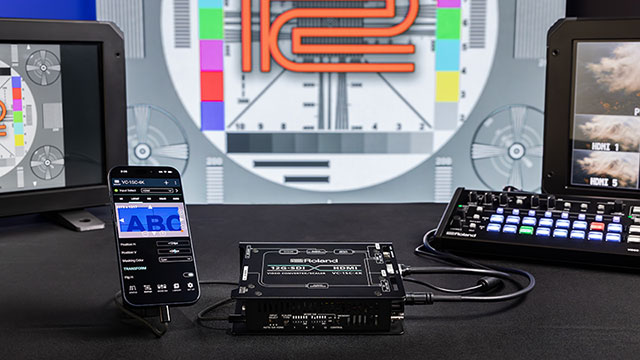
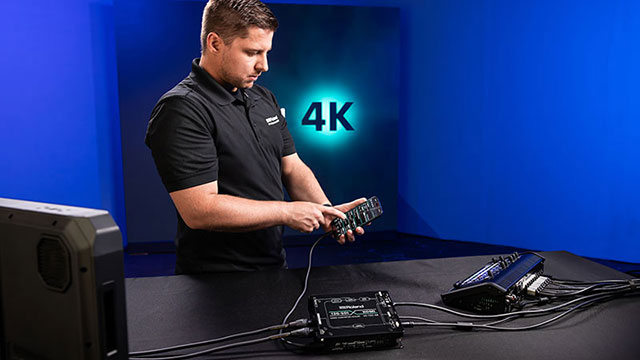
Explore the challenges of moving production to 4K and how the Roland V-1-4K can help organizations adopt the new technology.Read more…
How 4K Is Making Multi-Camera Production More Efficient

How 4K Is Making Multi-Camera Production More Efficient

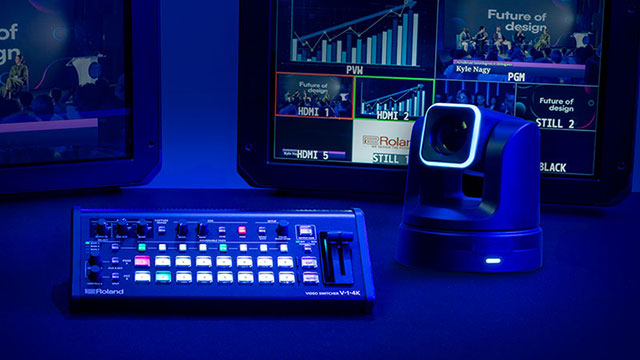
Professional video production has traditionally relied on multiple cameras. Find out how the capabilities of the Roland V-1-4K can simplify workflows.Read more…

The Shift to 4K: A New Standard in Pro AV

The Shift to 4K: A New Standard in Pro AV

Find out how professional AV markets now view 4K as a baseline expectation and investment rather than an advanced production capability.Read more…

Simplifying 4K Production for Every Operator

Simplifying 4K Production for Every Operator

Learn how video production is growing to support users who require professional-quality results without unnecessary complexity.Read more…

Downloads

Support

If you have questions about operating your Roland Pro A/V product, please check our Knowledge Base for answers to the most common questions.
You can also contact our Product Support department by phone or email.
In addition, we have a library of Owner’s Manuals and Support Documents that you can download and reference.